
Upload a Tight Studio project to Google Drive
Use Show in Finder to locate the editable project, then drag the complete .tightstudio file into Google Drive.
Before you start
You need the Mac that contains the project and enough Google Drive storage for its recordings.
- You are uploading
- An editable
.tightstudioproject - Not the same as
- An exported MP4 video
Follow these steps
- Step 1
Open your project library
Open Tight Studio and return to the project library. Find the project you want to upload, but do not open it in the editor.
For the safest copy, finish any edits and close the project before you start the upload.
- Step 2
Choose Show in Finder
Move your pointer over the project and click the three-dot menu in the top-right corner of its preview.
Choose Show in Finder. Tight Studio opens the folder that contains the selected project.
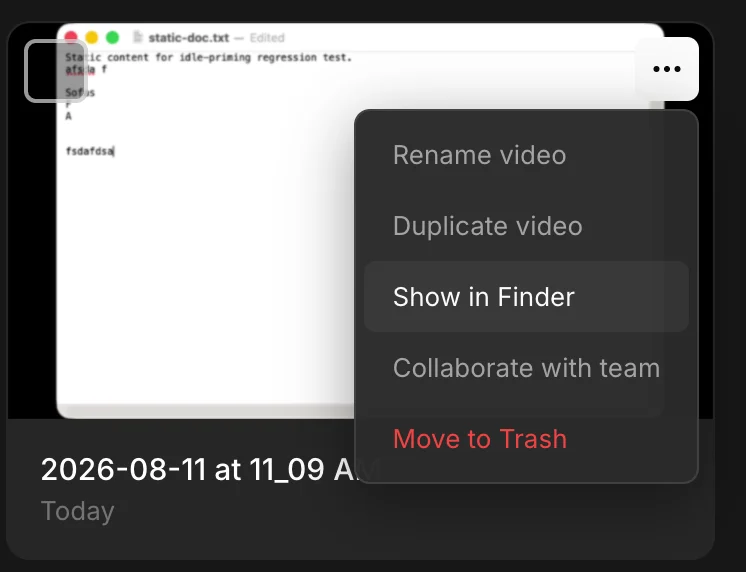
Open the project menu and choose Show in Finder. - Step 3
Identify the .tightstudio project
Finder opens the Tight Studio Videos folder and selects the project for you. Its name ends in .tightstudio.
Keep the whole .tightstudio project together. It contains the project settings and the media Tight Studio needs to reopen your edit.
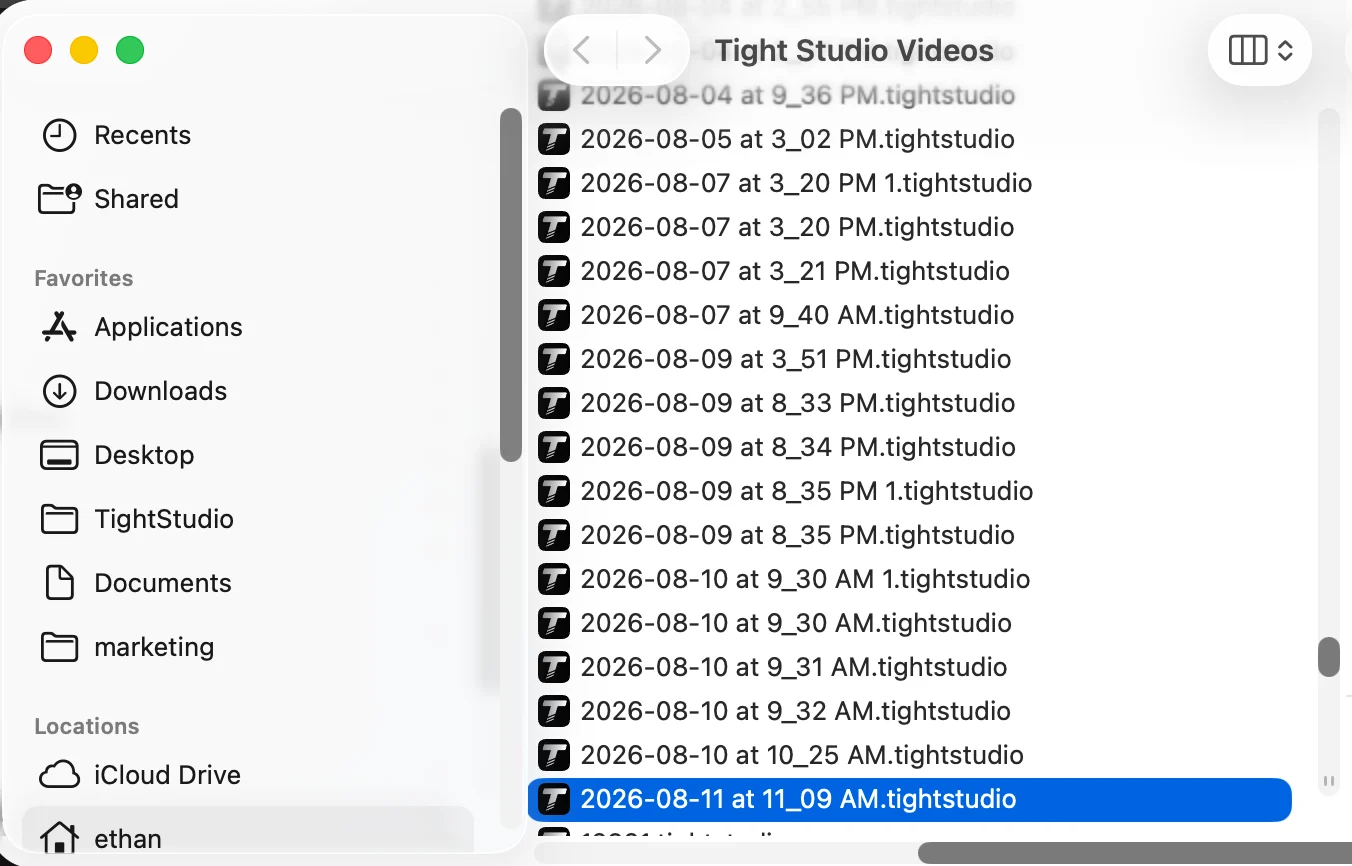
The selected item ending in .tightstudio is the editable project. - Step 4
Drag the project into Google Drive
In a browser, open the Google Drive folder where you want to keep the project. Drag the selected .tightstudio project from Finder into that folder.
Keep the browser window open until Google Drive confirms the upload is complete. Project files include the source recordings, so larger projects can take time to upload.
Google documents both drag-and-drop and the New menu in its official Drive upload guide.
Troubleshooting
Why can’t Google Drive preview the project?
A .tightstudio project is an editable Tight Studio project bundle, not a video. Google Drive can store and share it, but it cannot preview or edit the project.
What if the project downloads as a ZIP file?
Double-click the ZIP file to unzip it first. Then double-click the item ending in .tightstudio to open the project in Tight Studio.
Can I upload only the video inside the project?
No. Upload the complete .tightstudio project if someone needs to continue editing. If they only need to watch the finished video, export the video from Tight Studio instead.
Still stuck?
Send us a note with the project name and the step where you got blocked.