A Shared Workspace for Team Video Projects

Keep team recordings together, open the same project from different Macs, and edit in parallel with clip-level control that prevents teammates from overwriting each other.

Tight Studio Team Workspace showing a Start recording button and a grid of shared video projects

Keep team projects in one shared workspace

Start a recording in the Team Workspace or bring in an existing Tight Studio project with Collaborate with team. Everyone in the workspace can find and open the same collection of team videos without passing project bundles around.
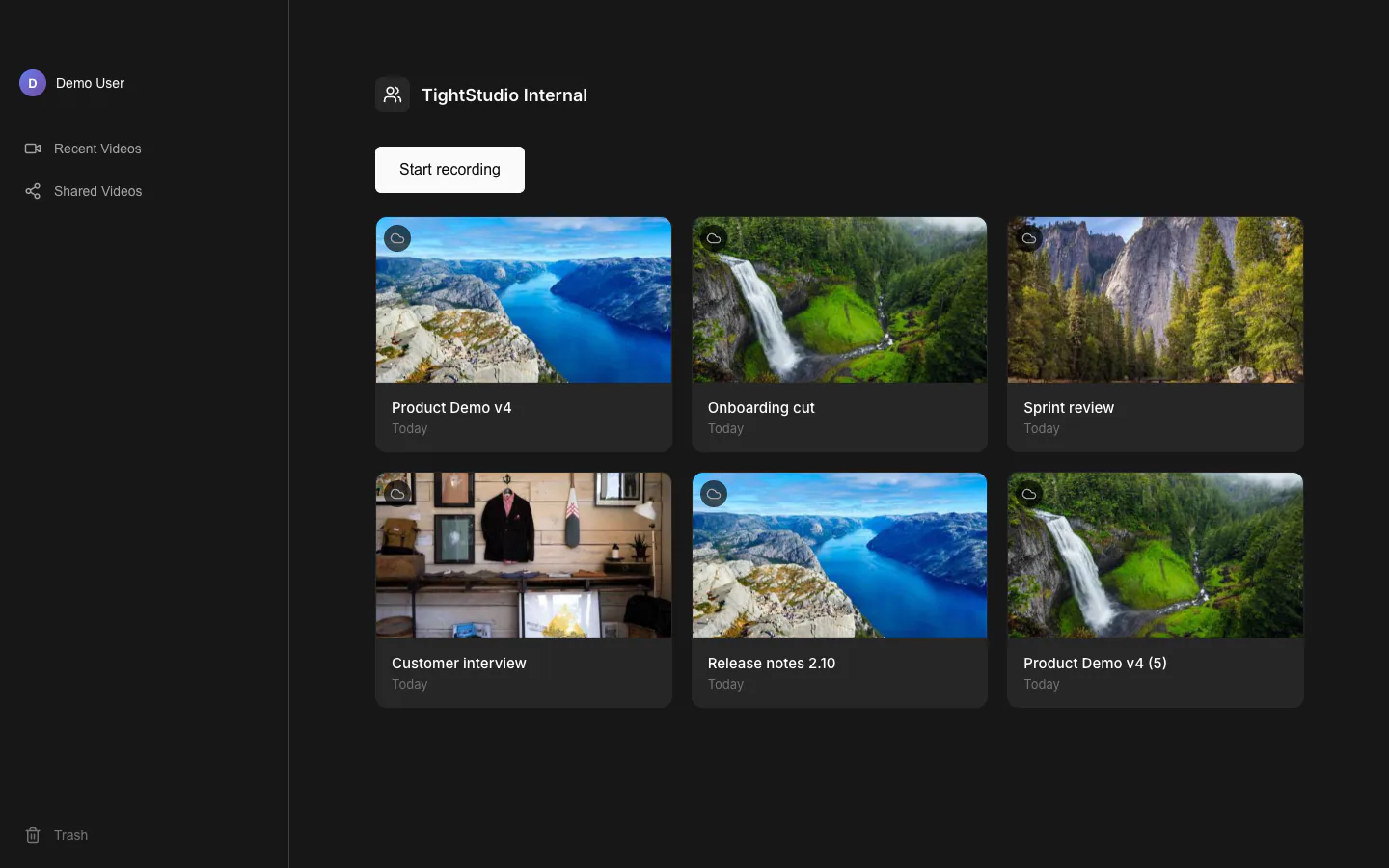
Tight Studio Team Workspace showing a Start recording button and a grid of shared team video projects

Edit the same project from different Macs

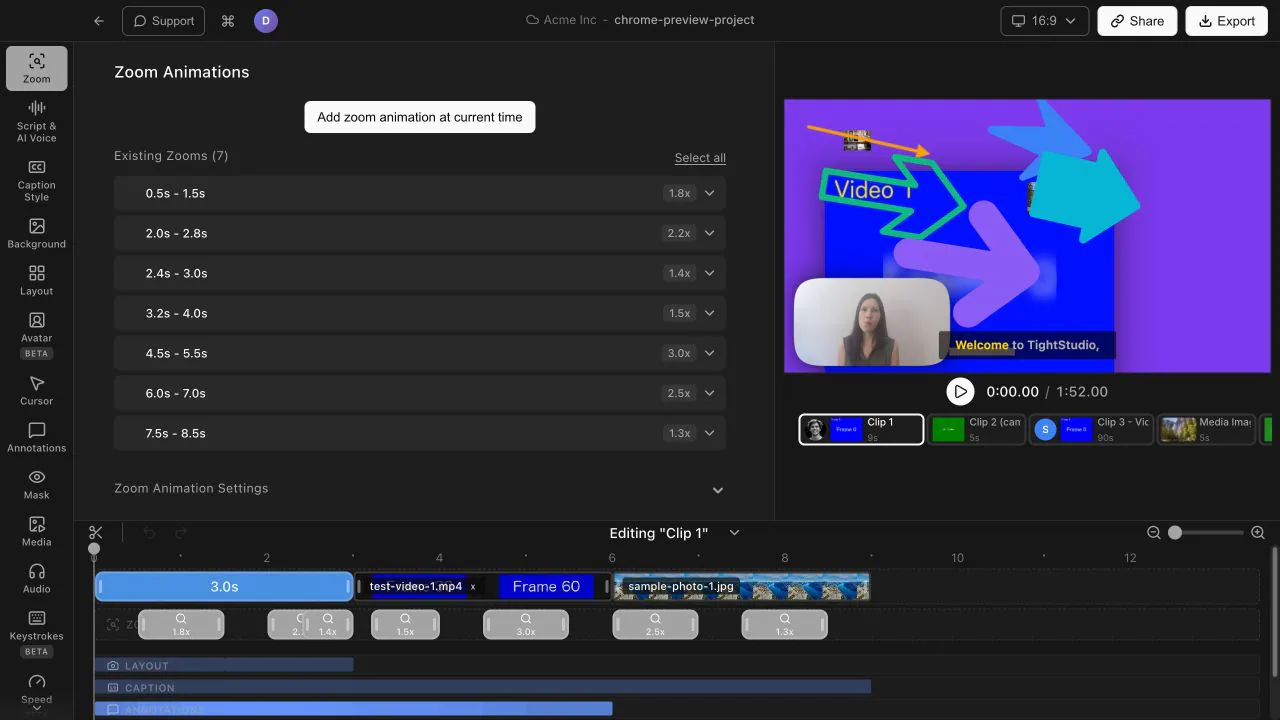
Teammates can open a shared project and continue the work in Tight Studio. Clip edits, clip order, and project settings sync through the team project, so the next person can pick up where the last person left off.

Tight Studio editor showing a cloud team project for Acme Inc with multiple clips arranged in the timeline

Work in parallel without edit collisions

Edit control is coordinated clip by clip. Teammates can work on different clips in the same project, while anyone viewing a clip already being edited sees who has control and stays read-only until it is available.

Cloud team project showing which teammate controls the selected clip while the viewer remains read-only

Hand off a clip when priorities change

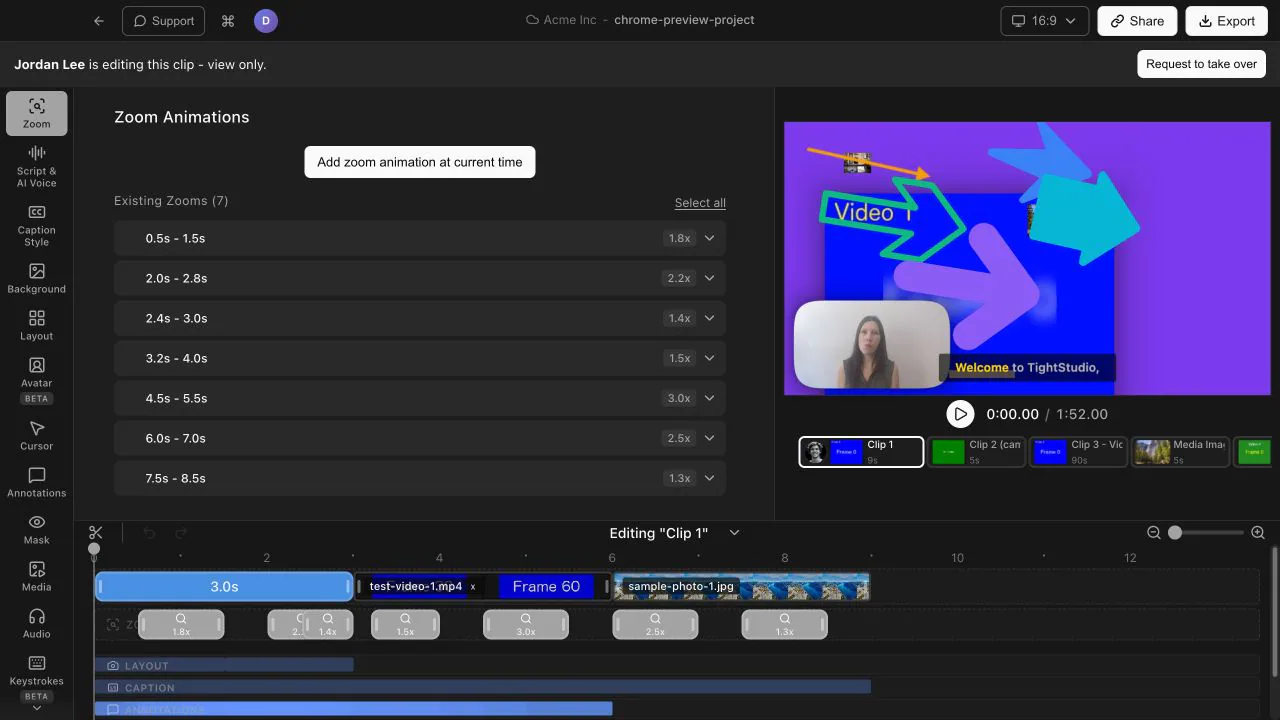
Need to take over the active clip? Send a request from the editor. The current editor can hand it off or keep working, giving the team a clear transition instead of competing changes or an accidental overwrite.

Tight Studio editor in view-only mode naming the current editor and showing the Request to take over button

Frequently asked questions

Can multiple teammates edit one video project?

Yes. Team members can open the same shared project, and different clips can be edited in parallel. Tight Studio syncs clip changes, clip order, and project settings through the team project.

What happens if two people select the same clip?

One person has edit control for that clip while the other sees who is editing and remains read-only. The second person can request access, and the current editor can hand off the clip or continue editing it.

How do I add a project to the Team Workspace?

You can start a new recording directly from the Team Workspace. To add a video you already created in Tight Studio, choose Collaborate with team and share it to the workspace.

Bring your next video into one team workspace

Download Tight Studio and give your team one shared project to record, edit, and finish together.

Download free

macOS Apple Silicon - Free to start, no credit card required